TeamUp – ClickUp Clone
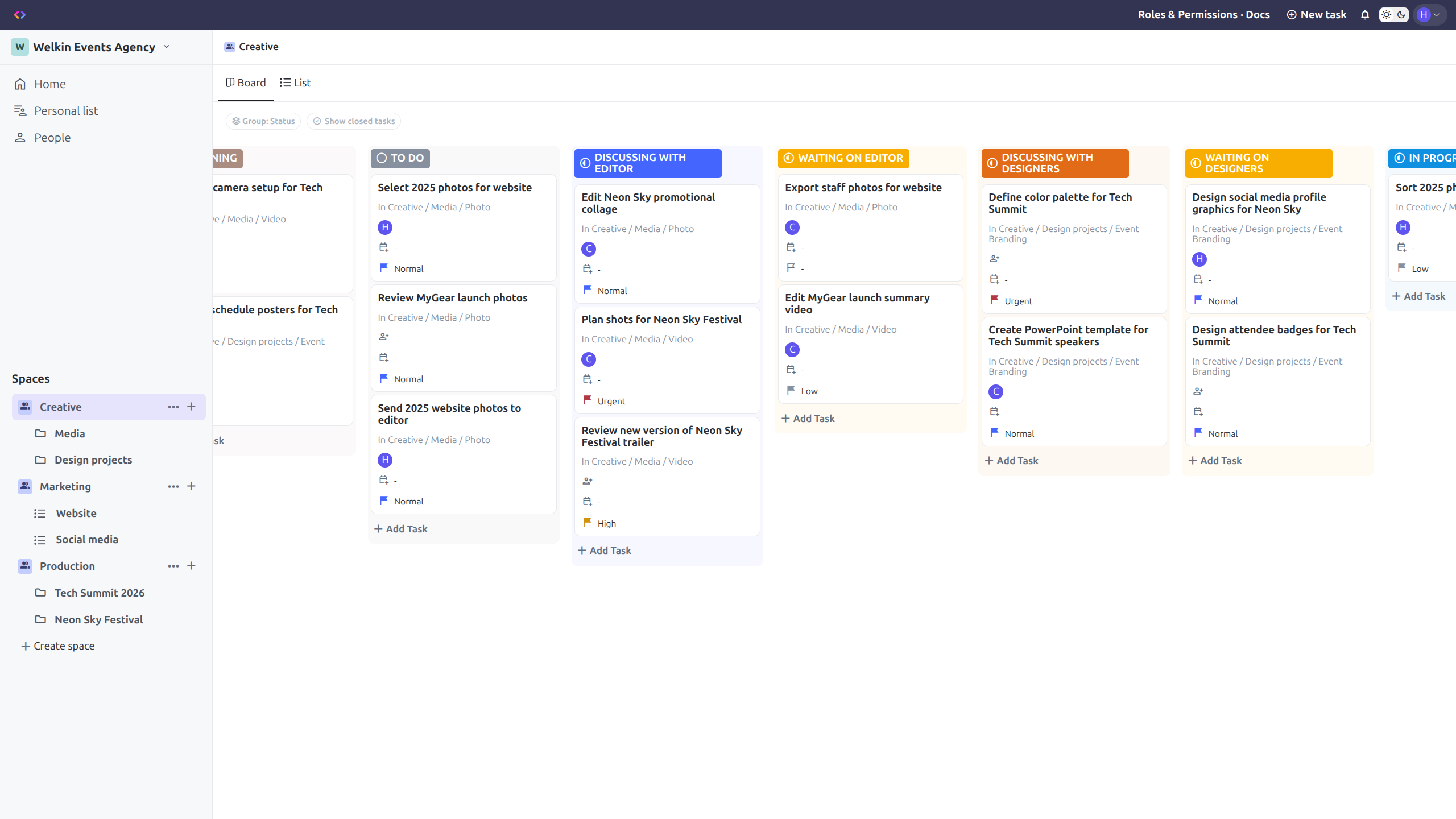
TeamUp is a full-stack work management app based on the design and main features of ClickUp, one of the most popular tools for managing tasks collaboratively.
It recreates the platform's look and core workflows while implementing a simplified but substantial hierarchical permissions system, nested entity relationships, real-time notifications and task assignments.
Goal
I wanted to rebuild a recognisable app from scratch and reproduce not only the interface, but also part of the complexity behind role-based collaborative work.
What I found interesting about ClickUp was the combination of a Kanban board approach and traditional task management with the added challenge of nested sections and granular roles. I chose some of the most iconic features and shaped them into a functional product.
Features
Role system
Users can invite others to their Workspace, assigning them either a common role for the whole Workspace or different permissions for specific entities. These permissions can later be modified through a friendly interface, which handles inheritance. Roles restrict certain actions, such as the ability to edit or delete sections or invite other users.
A more detailed explanation of this system is available in the app section called Roles & Permissions - Docs .
Hierarchical structure
The app features a hierarchical structure for organising tasks. There are five main entity types in this application:
- - Workspaces: These are the sections at the top level. They can contain several Spaces. They can be used for separating completely unrelated areas (e.g. different companies, personal and work life...).
- - Spaces: These sections are helpful to divide a Workspace according to the different branches a topic can have, such as different teams working in a company.
- - Folders: Folders group lists together, useful for projects or subdivisions inside a team.
- - Lists: Lists group Tasks together. They can either be inside Folders or directly inside Spaces. They're useful for divisions in a project. Each List has its own statuses, which can be of type Not Started, Active or Done, with customisable names and colours.
- - Tasks: Tasks are always inside lists. They have a name and a status chosen from the options defined for their List. Users can also set additional attributes on them, such as a due date, an assignee or a description with text formatting through the full view.
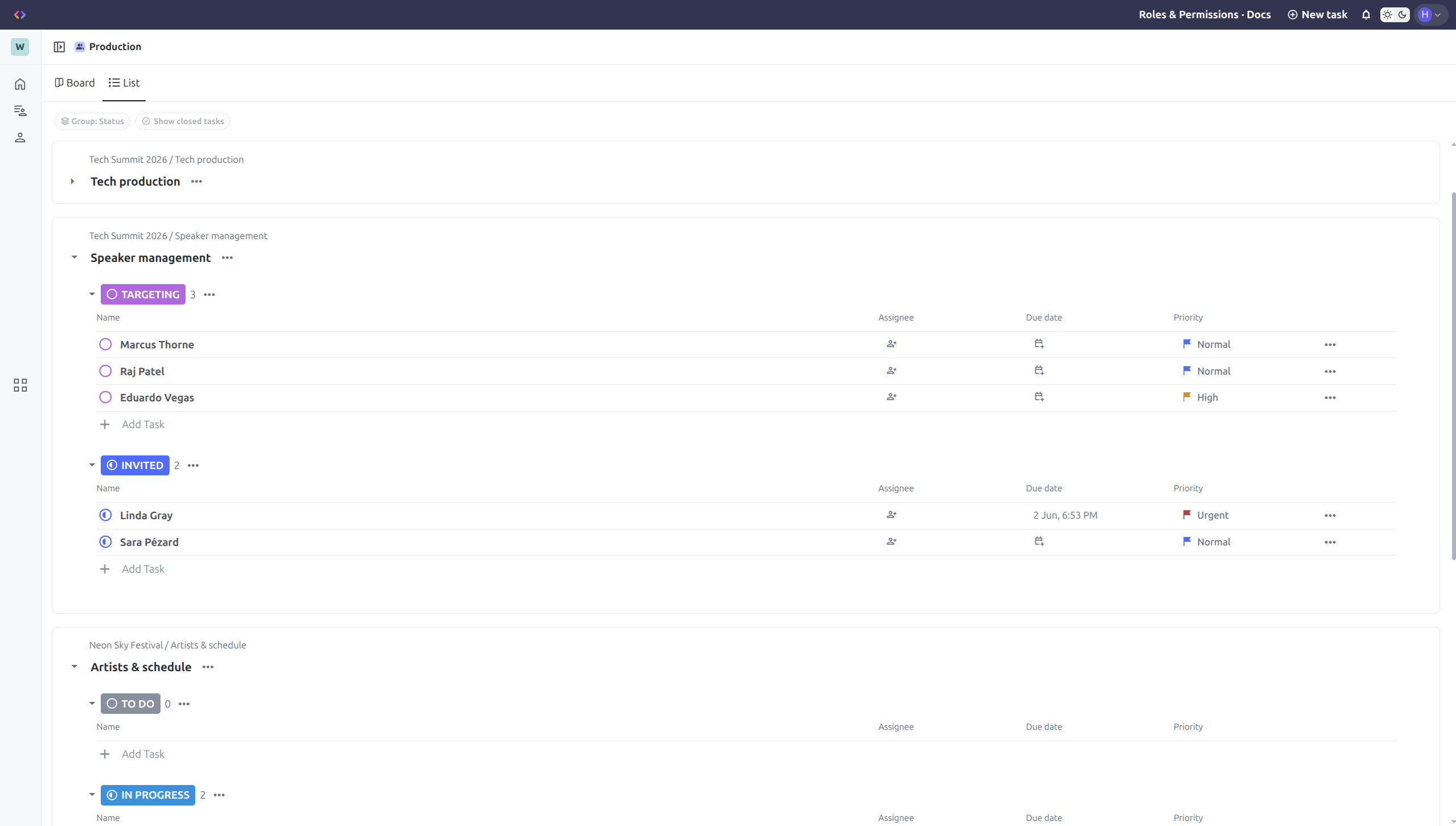
Tasks inside a Space grouped by lists.
Board and List views
Users can choose to view Tasks on Kanban boards or in classic lists. These views are available in Spaces, Folders and Lists. Each view allows users to organise Tasks by status, priority, due date and assignee.
Personal List, My Work and Assigned to me
The app also includes a Personal List for every user, My Work and Assigned to me sections, helping users work across multiple lists without manually navigating the full hierarchy.
Collaboration
Users can invite collaborators, receive notifications and handle Workspace access through real-time flows powered by Socket.IO.
Technical highlights
Frontend
The app is built with a core / features / shared structure, separating app shell and cross-cutting concerns from feature-specific code and reusable UI pieces.
The state is managed through services, keeping Workspace, user, membership, loading and notifications logic out of individual components, while route validity and token refresh are centralised through route guards and interceptors.
The Workspace service is the source of most data used in the app, which saves a client-side representation of the workspace, with nested entities exposed as lookup maps for Spaces, Folders, Lists and Tasks. The app also uses a Task grouping service to transform data in a centralised place for the different board and list views.
TeamUp also incorporates other technical features to make the user experience smoother, such as optimistic updates with rollback behaviour.
Backend and Data Layer
The backend is layered into controllers, services and repositories:
- - Controllers are kept thin. They handle requests and responses, keeping business rules centralised in services they communicate with.
- - Services are mainly responsible for authorisation, data validation and communication with the repositories, with concerns roughly defined by the different entities of the app, as well as others that handle socket emission and authentication.
- - Repositories use raw SQL, making complex queries more predictable than using ORM abstractions. This includes query-level assembly of nested Workspace data with membership-based filtering before results reach application code.
There is also middleware responsible for regular and socket authentication, rate limiting and error handling.
End-to-end testing
As part of the development of TeamUp, I incorporated an end-to-end testing suite using Playwright. The main focus was to validate key interactions: access control, the task lifecycle, and navigation through the Workspace hierarchy and its views.
The reliability of the suite is underpinned by several design decisions:
- - Session management: A setup project saves the authentication state to reuse it across authenticated scenarios and avoid repeating the login process.
- - Stability against changes: The tests prioritise semantic locators based on accessibility roles, making them more resilient to potential structural changes in the DOM.
- - Data management: For the task creation flow, the test generates a unique name and cleans up the entity upon completion using a try/finally block. On the other hand, to validate hierarchical navigation, it leverages pre-existing data from the demo account to speed up the environment setup.
- - Continuous Integration (CI): The suite is integrated into a GitHub Actions workflow that automatically runs the tests on every push and pull request to the main branch, publishing an HTML report and capturing traces on retries to facilitate diagnostics.
Challenges
One of the biggest challenges was the implementation of a hierarchical structure with several levels. The interaction between them, especially with lists that can be included either inside folders or directly inside spaces, required me to carefully plan data and event flow between different components. I opted for a single source of truth for the Workspace data through an Angular service.
Another main hurdle when developing this app was the creation of different roles. It added a substantial level of complexity, since it was crucial to enforce the system both on the backend, through several checks for each possible operation, and on the frontend, by limiting what the user is able to do according to their specific role.
The interaction between these two features introduced additional complexity. It was necessary to create proper database queries that preserved the nested structure, while also filtering the result to include only the entities the user has access to. On the client, this interaction was particularly visible in the Invite to Workspace menu, which required me to design a system where the user could easily understand the role inheritance while also being prevented from performing unauthorised actions.
Edit permissions menu used to adjust each member’s role.
Try it
The app is available to try. Since it requires authentication, there are two options to make the testing experience as friendly as possible:
- - Through an existing demo user: A user with a prebuilt demo Workspace is available for a quick view of what the app offers. The demo user credentials are auto-filled when pressing the Use demo account button on the login page.
- - Creating a quick user: Testers can also create a quick user in the sign-up window using a button that generates credentials. Creating a user doesn't require an email address. You can create one or more, in case you would like to test collaboration features.